Home Templates Calculators Videos Academy Software About Contact Login
Quality & Six Sigma

Pareto Chart Calculator

Paste your defect or cost data, rank the categories from largest to smallest, and instantly visualise the Pareto principle — with descending bars, a cumulative percentage line, and the 80% threshold highlighted.

PDF Guide
Was this useful?
🚀 New — Live Now
Try the DMAIC Assistant — 7-Day Free Trial
An AI-guided project workspace, straight from Define to Control. No card required — jump in free for a week.
Start Free Trial →
🎓 Limited-Time Offer
Grab Your Lean Six Sigma Accreditation — Just £25
The Ultimate DMAIC Playbook bundle: PDF + a free certification course & exam.
Get Started →

Enter your values

Enter each category and its count or cost on a new line, separated by a comma. Order doesn't matter — we'll rank them for you. Enter at least 2 rows in the format: category, value
📊

Ready to calculate

Enter your values on the left, then press Calculate.

Vital few
categories cause 80%
Total observations
Top category share
Cumulative cover at 80%
What this means

Watch: understand the concept, then see the calculator in action

Simulation Lab

Pareto Simulation

Six categories of customer complaint, last month. Enter the lab and let the 80/20 rule show you exactly where to focus first.

Complete guide

Pareto Chart Calculator Guide

Use the calculator above to paste raw defect, cost or complaint data and instantly produce a ranked Pareto chart with descending bars, a cumulative percentage line and the 80% threshold highlighted. The chart turns a messy long list into a short, defensible improvement priority — the few categories that drive most of the impact.

What it is

What is pareto chart?

A Pareto chart ranks categories from largest to smallest and overlays a cumulative percentage line. It is named after the Pareto principle (80/20 rule) which observes that roughly 80% of effects come from 20% of causes. In Lean Six Sigma it is the standard tool for prioritising defects, cost drivers, complaint reasons and downtime causes.

Calculation logic

How the calculation works

The calculator sorts your categories by frequency (or cost) high-to-low, then computes the cumulative percentage as a running sum divided by the grand total. The cumulative line crosses 80% somewhere in the early categories — those are the vital few that should be tackled first; everything to the right is the trivial many.

Worked example

Worked example: choosing where to focus

A QA team logs 480 defects across 12 categories in a month. Sorting by frequency, the top three categories — surface scratch (180), wrong label (110) and seal failure (75) — total 365, or 76% of all defects. The next category alone takes the cumulative to 82%.

The team focuses kaizen effort on those three causes rather than spreading thin across all twelve. After two months the top-three rate halves, and a fresh Pareto reveals a new top three — at which point the cycle repeats. That is the engine of continuous improvement.

Why it matters

Operational impact

Pareto stops improvement teams chasing every small issue. It produces a defensible, data-driven shortlist of two-to-three causes that, if fixed, will eliminate the majority of the problem volume or cost.

Decision making

When to use it

Use Pareto on defect categories, complaint reasons, downtime causes, scrap cost by SKU, or any data set with multiple categories competing for attention. It is the first tool to reach for in the Analyse phase of DMAIC.

Lean Six Sigma

Link to Six Sigma

Pareto sits alongside cause-and-effect diagrams, the 5 Whys and control charts as a core Six Sigma analysis tool. It identifies which causes to investigate; the other tools explain why those causes happen.

Industry examples

Where pareto chart is useful

ManufacturingRank defect types by frequency to choose the top two-to-three for kaizen attack.
Customer serviceSort complaint reasons by volume to focus the first wave of CX improvement work.
HealthcareIdentify the leading causes of medication errors or readmissions to focus safety programmes.
Cost managementPareto cost categories or supplier spend to focus the biggest reductions first.
Common mistakes

Watch-outs before using pareto chart

  • Using raw counts when severity or cost varies significantly — Pareto by cost or weighted impact gives a different priority.
  • Stopping at the first Pareto rather than re-running after each round of improvement to spot the new top causes.
  • Including "Other" as a single category — split it so genuine top causes are not hidden inside a catch-all.
  • Skipping the cumulative percentage line, which is what reveals where the 80% threshold actually falls.
  • Pareto on too few categories (under five) where ranking adds little insight beyond a simple bar chart.
What to do next

Turn the result into action

Take the top two-to-three categories and launch a focused improvement event — a fishbone diagram, 5 Whys or kaizen — on each. Re-run the Pareto monthly so the next set of priorities surfaces as today’s top causes are removed.

Resources

Templates, videos and learning

Combine Pareto with cause-and-effect tools to convert "what is biggest" into "why does it happen". The resources below cover both halves of the workflow.

Frequently asked questions

What is a Pareto chart?

A bar chart with categories ranked from largest to smallest and a cumulative percentage line overlaid. It highlights the vital few categories that drive most of the volume or cost.

What is the 80/20 rule?

The Pareto principle observes that approximately 80% of effects come from 20% of causes. In practice the ratio varies (70/30, 90/10), but the principle that a small number of causes dominate is remarkably consistent.

When should you use a Pareto chart?

Any time you have multiple categories of defects, costs, complaints or downtime causes and need to choose where to focus improvement. It is the standard prioritisation tool in DMAIC Analyse.

Should you Pareto by count or by cost?

It depends on the question. By count when frequency matters (e.g. customer complaints); by cost when financial impact matters (e.g. scrap value). They often produce different top categories — both can be useful.

How often should you redo a Pareto?

After every meaningful improvement initiative. The point of Pareto is to find today’s top causes; as you fix them, new causes rise to the top and become the next priority.

Want to know how to use Pareto analysis to prioritise improvement work? The Yellow Belt covers this in full.

View Yellow Belt →

Why your review matters

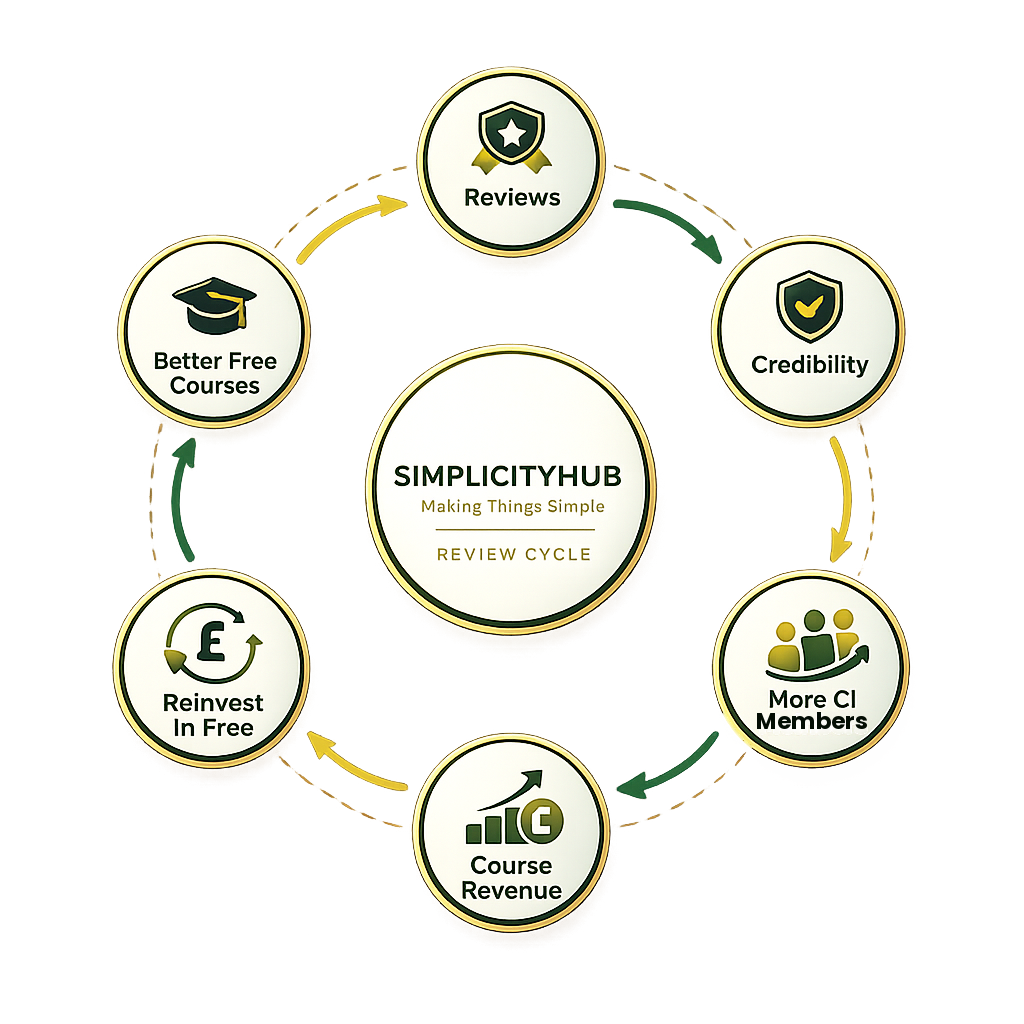
Free courses take time and money to create. Your review gives us credibility, brings in more learners, and we plough that revenue straight back into free resources.

SimplicityHub review cycle
Trustpilot