Meeting Agenda Template
Run focused improvement meetings with a clear agenda, time allocations and decisions captured.


What is a Meeting Agenda Template?
A Meeting Agenda Template provides a structured format for planning and running effective project meetings. It covers objectives, timed agenda items, pre-reading, decision points, action capture and parking lot.
When to use a Meeting Agenda Template
Use it for every project meeting — kick-off, phase gate reviews, steering group updates and team working sessions. Send it to attendees at least 24 hours in advance.
Who should use a Meeting Agenda Template
- Black Belts and Green Belts — running structured project meetings, phase gate reviews and steering group updates
- Facilitators — keeping workshops and working sessions on time and on track
- Team leaders — running effective daily stand-ups, weekly team meetings and 1-2-1s
- Anyone running a meeting — establishing clear objectives, timings and outcomes before anyone enters the room
Vote yes and we’ll prioritise a quick walkthrough showing you exactly how to use it.
How to use a Meeting Agenda — step by step
-
1Write the problem statement at the top
Start with a clear, factual problem statement. 'Machine stopped' or 'Customer received wrong item' — specific, observable, factual. Vague problems produce vague root causes.
-
2Ask 'Why did this happen?' — Why 1
Write down the first-level cause. This is usually a symptom or a direct cause — not yet the root. Examples: 'Machine overheated', 'Wrong item was picked'.
-
3Ask 'Why did that happen?' — Why 2
Challenge the previous answer. Keep the team focused on causes, not blame. If the answer is 'human error', push further — why did the human make the error?
-
4Continue to Why 3, 4 and 5
Keep going until you reach a cause that is systemic — a missing process, a failed control, a gap in training or a design flaw. The number five is a guide, not a rule.
-
5Check the logic by reading upward
Read the chain back to front: 'Because of X, Y happened, which caused Z.' If the logic holds, you have a valid chain. If it breaks, revisit the step where it breaks.
-
6Identify the actionable root cause
The root cause is the deepest level where a corrective action can prevent recurrence. Document it clearly — this feeds your Improve phase solution design.
-
7Validate before acting
Do not jump to solution immediately. Check whether data or observation confirms the root cause is real and significant before committing resource to fixing it.
Worked example — Measure Phase Gate Review
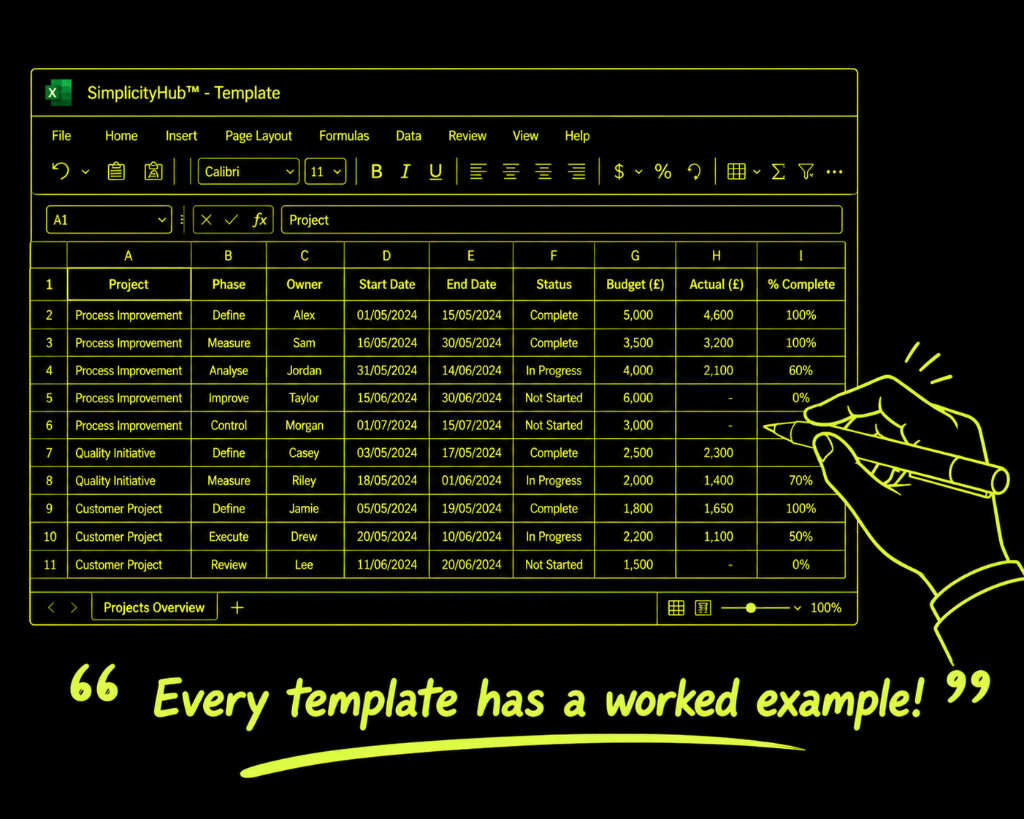
A Black Belt used this template for a 60-minute phase gate review — sending the agenda with pre-reading 48 hours in advance, allocating 20 minutes to data presentation, 15 minutes to decisions and 10 minutes to next steps, finishing 5 minutes early.
Common mistakes — and how to avoid them
Not sending the agenda in advance. An agenda distributed in the meeting room gives attendees no time to prepare. Send it at least 24 hours ahead with any pre-reading attached.
No decision items flagged. If attendees don't know which agenda items require a decision, they won't prepare options and recommendations. Flag decision points explicitly.
No time allocations. A list of topics without time allocations always runs over. Assign a time budget to every item and appoint someone to guard the clock.
No owner for the minutes. If nobody is designated to capture actions, the meeting produces conversation without consequence. Assign a note-taker before the meeting starts.
Tips for getting better results
Put decision items before information items. Handle decisions when energy is highest. Move information-only items to the end or replace them with pre-reading.
End 5 minutes early. Use the last 5 minutes to review every action captured: owner, deadline, confirmation. This single habit doubles follow-through rates.
Review actions from the previous meeting first. Opening with a quick review of outstanding actions creates accountability and demonstrates that commitments matter.
Frequently asked questions
What should a project meeting agenda include?
A good agenda includes the meeting objective, agenda items with time allocations, the owner for each item, pre-read materials, and a standing slot for actions review from the last meeting.
How long should a DMAIC project meeting be?
Core team check-ins are typically 30–45 minutes. Phase gate reviews and stakeholder updates are usually 60–90 minutes. Keep meetings as short as possible by circulating pre-reads in advance.
Should I send the agenda in advance?
Always. Send the agenda at least 24 hours before the meeting with any pre-read materials. This allows participants to prepare, reduces time spent on context-setting and makes the meeting far more productive.