Multi-Vari Chart Template
Break process variation down by machine, shift, operator or batch so you can see where the differences come from.


What is a Multi-Vari Chart Template?
A Multi-Vari Chart Template provides a structured approach for visualising process variation across three key families: positional (within-unit), cyclical (unit-to-unit) and temporal (over time). It narrows the search for root causes significantly.
When to use a Multi-Vari Chart Template
Use it in the Analyse phase before formal hypothesis testing, when you need to identify which type of variation is dominant and which factors are most likely causing it.
Who should use a Multi-Vari Chart Template
- Black Belts — focusing Analyse phase investigation on the dominant source of process variation before hypothesis testing
- Quality engineers — investigating persistent quality problems with multiple suspected causes across shifts, operators or time periods
- Manufacturing and operations teams — screening variation families in production processes to direct root cause analysis efficiently
- Data analysts — visualising variation structure in process data before applying statistical tests
Vote yes and we’ll prioritise a quick walkthrough showing you exactly how to use it.
How to use a Multi-Vari Chart — step by step
-
1Write the problem statement at the top
Start with a clear, factual problem statement. 'Machine stopped' or 'Customer received wrong item' — specific, observable, factual. Vague problems produce vague root causes.
-
2Ask 'Why did this happen?' — Why 1
Write down the first-level cause. This is usually a symptom or a direct cause — not yet the root. Examples: 'Machine overheated', 'Wrong item was picked'.
-
3Ask 'Why did that happen?' — Why 2
Challenge the previous answer. Keep the team focused on causes, not blame. If the answer is 'human error', push further — why did the human make the error?
-
4Continue to Why 3, 4 and 5
Keep going until you reach a cause that is systemic — a missing process, a failed control, a gap in training or a design flaw. The number five is a guide, not a rule.
-
5Check the logic by reading upward
Read the chain back to front: 'Because of X, Y happened, which caused Z.' If the logic holds, you have a valid chain. If it breaks, revisit the step where it breaks.
-
6Identify the actionable root cause
The root cause is the deepest level where a corrective action can prevent recurrence. Document it clearly — this feeds your Improve phase solution design.
-
7Validate before acting
Do not jump to solution immediately. Check whether data or observation confirms the root cause is real and significant before committing resource to fixing it.
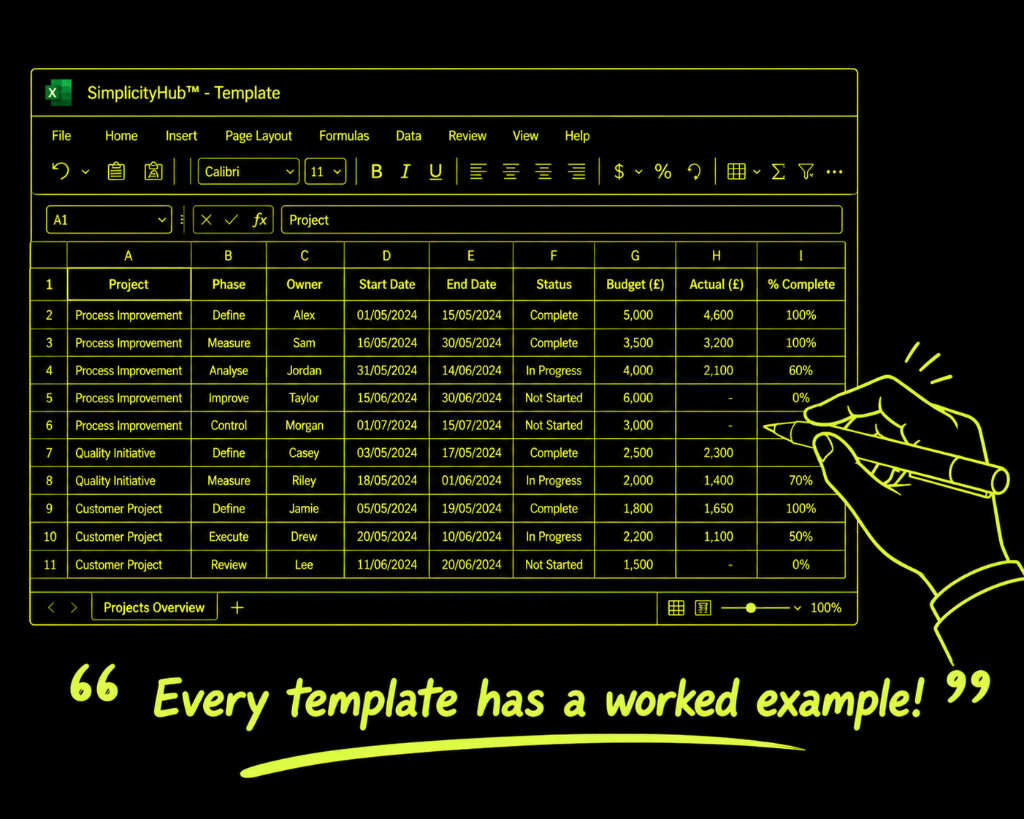
Worked example — Tablet Coating Weight Variation
A pharmaceutical team used a Multi-Vari Chart on coating weight data — finding that temporal variation (batch-to-batch) was dominant, accounting for 68% of total variation, focusing the investigation on raw material lot-to-lot differences rather than operator or machine factors.
Common mistakes — and how to avoid them
Too few samples per variation family. Fewer than 3 measurements per unit, per time period produces unreliable pattern identification. The standard guideline is 3×3×3 as a minimum.
Confusing Multi-Vari with SPC. A Multi-Vari Chart screens for variation families. An SPC chart monitors process stability over time. They serve different analytical purposes.
Treating the chart as a final answer. Multi-Vari narrows the search — it doesn't confirm the root cause. Follow up with hypothesis testing to statistically validate the dominant variation source.
Not stratifying the time axis correctly. The time axis should span enough periods to capture the temporal variation of interest. Too narrow a window misses shift-to-shift or day-to-day patterns.
Tips for getting better results
Run the Multi-Vari before any hypothesis testing. It is a screening tool, not a confirmatory one. Using it first saves hours of misdirected statistical testing.
Include known process stratifiers. If you suspect shift, operator or machine effects, design your sampling plan to capture these explicitly so the Multi-Vari can test them visually.
Document the sampling plan before collecting data. A well-designed sampling plan is essential for a valid Multi-Vari Chart. Define group sizes, timing and data collection method before starting.
Frequently asked questions
What is a multi-vari chart?
A multi-vari chart displays variation from multiple sources on a single chart. It shows positional variation (within a unit), cyclical variation (unit to unit) and temporal variation (over time), helping teams identify which source of variation is dominant.
How is a multi-vari chart different from a control chart?
A control chart tracks one characteristic over time to detect special causes. A multi-vari chart studies variation across multiple dimensions simultaneously — it is an exploratory tool used before root cause analysis rather than a monitoring tool.
How much data do I need?
Typically 3–5 subgroups with 3–5 samples each across 3+ time periods. The exact sample size depends on the process, but you need enough to see patterns across all variation families.