Weighted Criteria Matrix Template
Score options against weighted criteria so decisions are transparent, consistent and easy to defend.


What is a Weighted Criteria Matrix Template?
A Weighted Criteria Matrix Template provides a structured scoring framework where criteria are assigned relative weights and each option is scored against them. The weighted total identifies the best overall choice.
When to use a Weighted Criteria Matrix Template
Use it in the Improve phase for any decision where multiple valid options exist and stakeholders have different priorities. It works equally well for solution selection, supplier choice and design decisions.
Who should use a Weighted Criteria Matrix Template
- Green Belts and Black Belts — making structured solution selection decisions in the Improve phase
- Project teams — evaluating options for supplier selection, technology choices or process design decisions
- Managers and decision makers — bringing objectivity and transparency to multi-option decisions that affect multiple stakeholders
- Facilitators — guiding teams to a defensible group decision when individual preferences differ
Vote yes and we’ll prioritise a quick walkthrough showing you exactly how to use it.
How to use a Weighted Criteria Matrix — step by step
-
1Write the problem statement at the top
Start with a clear, factual problem statement. 'Machine stopped' or 'Customer received wrong item' — specific, observable, factual. Vague problems produce vague root causes.
-
2Ask 'Why did this happen?' — Why 1
Write down the first-level cause. This is usually a symptom or a direct cause — not yet the root. Examples: 'Machine overheated', 'Wrong item was picked'.
-
3Ask 'Why did that happen?' — Why 2
Challenge the previous answer. Keep the team focused on causes, not blame. If the answer is 'human error', push further — why did the human make the error?
-
4Continue to Why 3, 4 and 5
Keep going until you reach a cause that is systemic — a missing process, a failed control, a gap in training or a design flaw. The number five is a guide, not a rule.
-
5Check the logic by reading upward
Read the chain back to front: 'Because of X, Y happened, which caused Z.' If the logic holds, you have a valid chain. If it breaks, revisit the step where it breaks.
-
6Identify the actionable root cause
The root cause is the deepest level where a corrective action can prevent recurrence. Document it clearly — this feeds your Improve phase solution design.
-
7Validate before acting
Do not jump to solution immediately. Check whether data or observation confirms the root cause is real and significant before committing resource to fixing it.
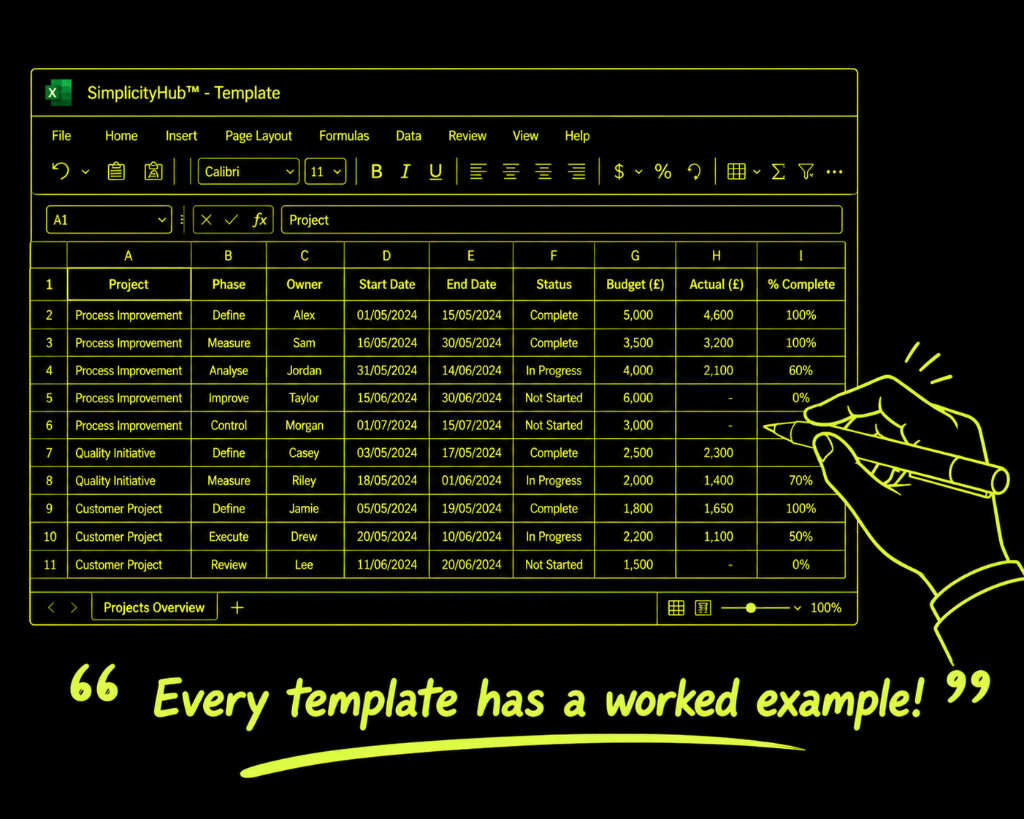
Worked example — Selecting a Quality Management System
A quality team evaluated 4 QMS software options across 6 weighted criteria — ease of use (30%), cost (25%), integration capability (20%), support quality (10%), scalability (10%) and implementation speed (5%) — producing a clear winner with a weighted score of 4.2 out of 5.
Common mistakes — and how to avoid them
Agreeing weights after seeing the scores. Setting weights after scoring introduces confirmation bias. Always finalise the weightings before any option is scored.
Using undefined scoring anchors. Scoring without agreed definitions produces inconsistent ratings. Define what a 1, 3 and 5 means for each criterion before scoring begins.
Ignoring the runner-up. A close second-place option may be worth investigating. Look at which criteria it wins on — it may be the right choice if a key constraint changes.
Not revisiting if the winner feels wrong. If the team can't accept the top-scoring option, the weightings may not reflect true priorities. Revisit them — don't override the model.
Tips for getting better results
Separate the weighting discussion from the scoring session. Weights set in isolation are more honest than weights set while looking at the options. Run them as two distinct sessions.
Include a 'do nothing' option. Scoring the status quo forces intellectual honesty. If no option scores better than doing nothing, the project scope may need revisiting.
Sense-check total weights before scoring. Make sure the weights sum to 100%. It sounds obvious but is a frequent error that invalidates the model.
Frequently asked questions
What is a weighted criteria matrix?
A weighted criteria matrix scores multiple options against a set of criteria, where each criterion is given a weight reflecting its relative importance. The weighted scores are summed to produce a total for each option, making trade-offs visible and the decision auditable.
How do I set the weights?
Weights are typically set by the team as percentages totalling 100%, or on a 1–5 scale. The weights should reflect genuine business priorities — ideally validated with the project sponsor or customer before scoring begins.
Can the matrix give a wrong answer?
Yes, if the criteria or weights do not reflect what truly matters. The matrix is a decision support tool, not a replacement for judgement. Use it to structure thinking and surface trade-offs, then apply common sense before making the final call.