KPI Dashboard Template
Track the KPIs that matter on one page, with targets, trends and owners so process performance stays visible.

What is a KPI Dashboard Template?
A KPI Dashboard Template is a structured visual display of key performance indicators for a process or project. It tracks current performance against targets, shows trends and highlights any metrics in the red.
When to use a KPI Dashboard Template
Use it in the Control phase to hand over process performance monitoring to the process owner. Update it as part of your sustainability plan and review it at regular management reviews.
Who should use a KPI Dashboard Template
- Process owners — monitoring daily and weekly process performance against targets after project handover
- Black Belts and Green Belts — building the monitoring system in the Control phase before project closure
- Operations managers — reviewing process health across their area in regular management meetings
- Sponsors — tracking project benefit realisation and process sustainability at a glance
Vote yes and we’ll prioritise a quick walkthrough showing you exactly how to use it.
How to use a KPI Dashboard — step by step
-
1Write the problem statement at the top
Start with a clear, factual problem statement. 'Machine stopped' or 'Customer received wrong item' — specific, observable, factual. Vague problems produce vague root causes.
-
2Ask 'Why did this happen?' — Why 1
Write down the first-level cause. This is usually a symptom or a direct cause — not yet the root. Examples: 'Machine overheated', 'Wrong item was picked'.
-
3Ask 'Why did that happen?' — Why 2
Challenge the previous answer. Keep the team focused on causes, not blame. If the answer is 'human error', push further — why did the human make the error?
-
4Continue to Why 3, 4 and 5
Keep going until you reach a cause that is systemic — a missing process, a failed control, a gap in training or a design flaw. The number five is a guide, not a rule.
-
5Check the logic by reading upward
Read the chain back to front: 'Because of X, Y happened, which caused Z.' If the logic holds, you have a valid chain. If it breaks, revisit the step where it breaks.
-
6Identify the actionable root cause
The root cause is the deepest level where a corrective action can prevent recurrence. Document it clearly — this feeds your Improve phase solution design.
-
7Validate before acting
Do not jump to solution immediately. Check whether data or observation confirms the root cause is real and significant before committing resource to fixing it.
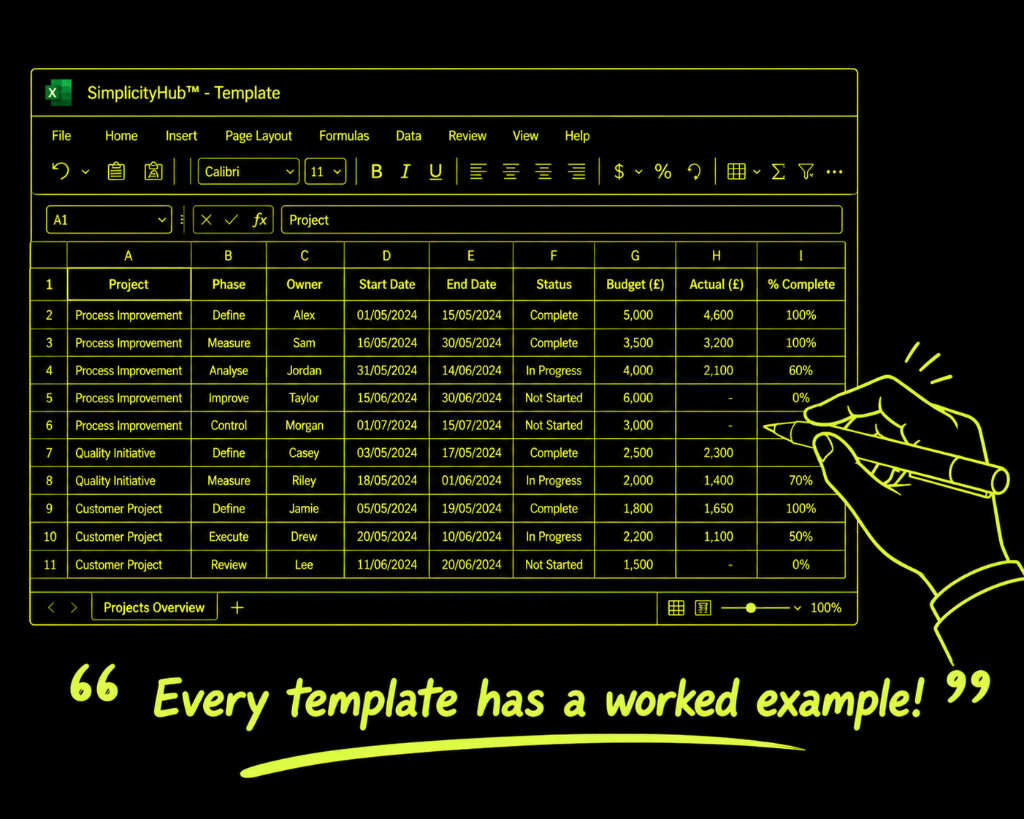
Worked example — Call Centre Performance Dashboard
A contact centre process owner built a 7-KPI dashboard tracking first-call resolution, average handle time, CSAT, escalation rate, abandon rate, SLA compliance and agent utilisation — reviewed in a daily 10-minute stand-up.
Common mistakes — and how to avoid them
Too many KPIs. More than 10 KPIs means nothing gets the attention it deserves. Pick the 5–8 metrics that are genuinely critical to process health.
KPIs without owners. Every metric on the dashboard must have a named person responsible for collecting, updating and acting on it.
No escalation rules. A dashboard without escalation rules is just a display. Define what happens when each metric hits red — who acts, how fast and what they do.
Reviewing the dashboard monthly. Monthly reviews catch problems after they have already caused damage. Operational KPIs need weekly or daily review.
Tips for getting better results
Use traffic light colour coding. Green/amber/red status at a glance is faster than reading numbers. Design for 5-second comprehension.
Show the trend, not just the current value. A metric that is in green but declining needs attention. Always display the trend direction alongside the current value.
Review the dashboard design quarterly. Remove metrics that are consistently green and no longer need active monitoring. Add new ones as focus shifts.
Frequently asked questions
How many KPIs should be on a dashboard?
Best practice is 5–10 KPIs per dashboard. Too many metrics dilute focus — choose the ones that directly reflect process performance and customer impact. Each KPI should have a target, tolerance and owner.
What is the difference between a KPI and a metric?
A metric is any measurable quantity. A KPI is a metric that has been selected because it is Key to understanding performance against a strategic or operational goal. All KPIs are metrics, but not all metrics are KPIs.
How often should a KPI dashboard be reviewed?
It depends on the process. Operational dashboards may be reviewed daily or weekly; strategic dashboards monthly or quarterly. The review frequency should match the speed at which the process can change.