
A written SOP tells you what is supposed to happen. It rarely shows you the shape of it. The order of the steps, where the decisions sit, who hands what to whom, and which exception quietly bypasses the whole thing.
That gap is why process maps exist, and why so few teams have one. Drawing a map by hand means reading a procedure, arguing about it, and then spending an afternoon in a diagramming tool nudging boxes. By the time it is finished, the process has usually moved on.
We built a free tool that does the first pass for you: paste a written procedure or a page of rough notes, and it returns an ordered process map with the decision points, the owners where your source names them, and a PDF you can take into the workshop. No account, no email. Your SOP is never saved.
What it actually does
Three steps, and the third one matters more than it sounds.
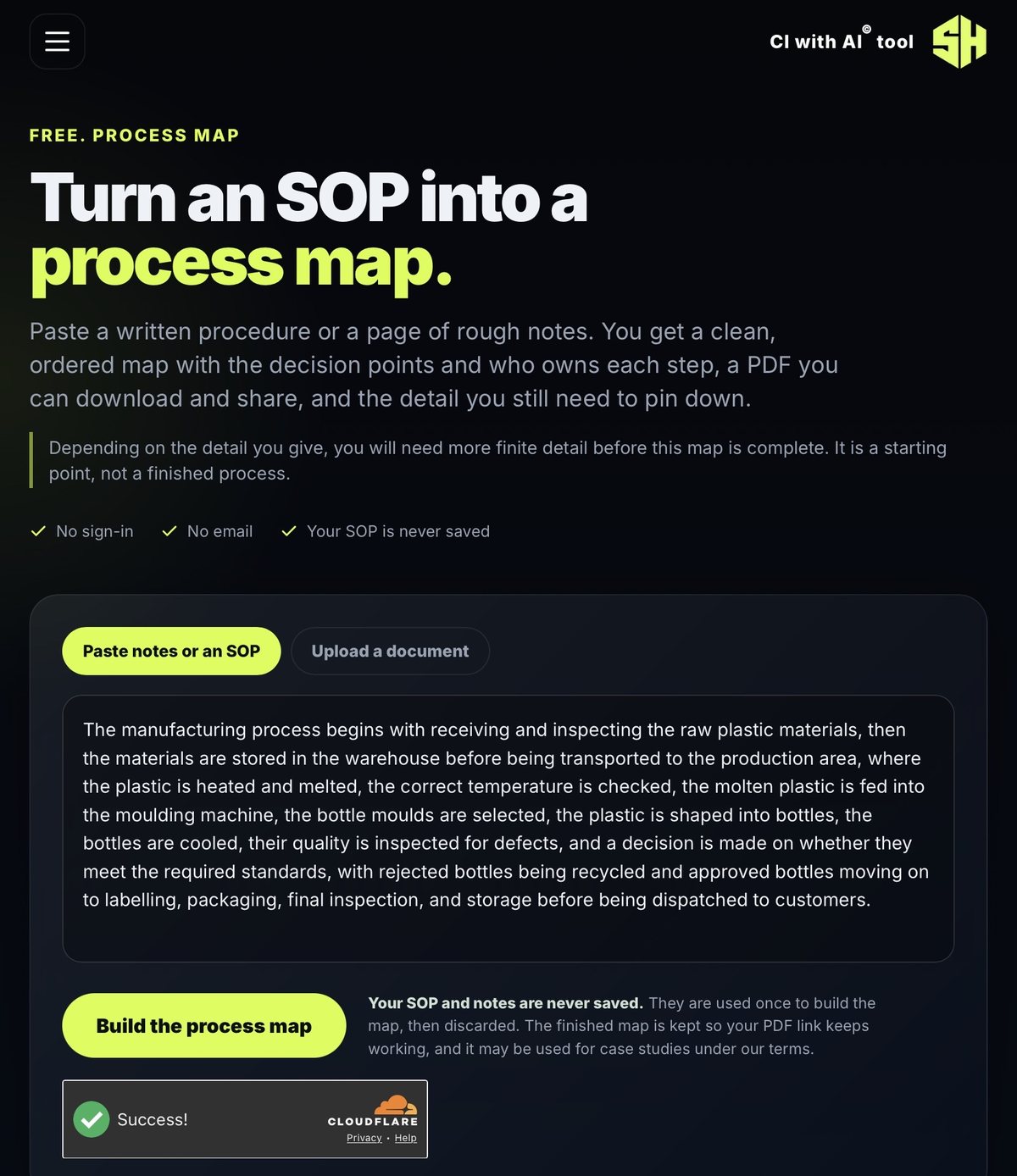
- Give it the detail. Paste text, or drop in a .docx, .txt, .md or .csv. A written SOP works. So does the messy set of notes you typed during a meeting. One action per step in your source produces the cleanest map.
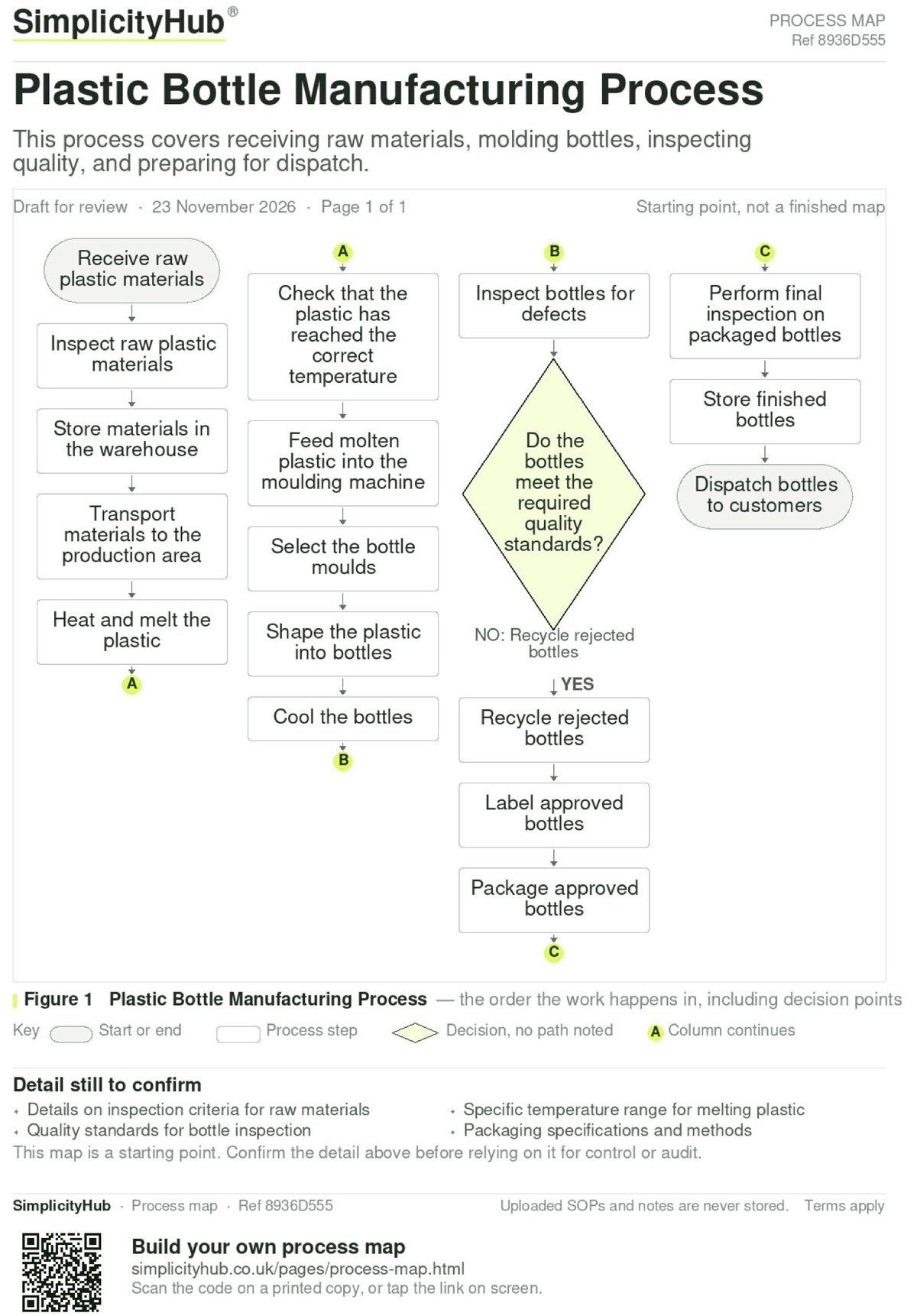
- Get the map. You get a start, an ordered spine of steps, decision points with the No path shown underneath, an end, and the owner tagged on each step where your source says who does it.
- Download it, then sharpen it. The PDF is one page, branded and clickable, and it carries a list of the detail that was missing from your source.
That third step is the honest part. A tool reading a paragraph cannot know your systems, your approval limits or your exception rules, so instead of inventing them it names them. More on that below.
A real run: an order fulfilment SOP
To test it properly we used a plain order fulfilment procedure of the kind most operations teams have somewhere: sales logs the order, stock gets checked, warehouse picks and packs, purchasing raises a backorder when the item is not there, finance invoices on dispatch, and a credit hold flag pulls the order aside for review.
That is five short paragraphs. The tool returned twelve nodes: a start, two decision points, nine steps and an end, with sales team, warehouse and finance tagged on the steps where the source named them. The two decisions came out as Is the item in stock? and Does customer have credit hold flag?, each with its No path shown as a separate branch rather than buried in the prose.
Nothing was invented. Where the source said "within 2 hours", the note carried it. Where the source was silent on timing, the map stayed silent and the gap list said so.
What it will not do
It is worth being blunt about the limits, because a process map that people trust too much is worse than no map at all.
- It reads what you give it. A vague source produces a vague map. If your SOP says "the team processes the request", the map will say that too, because there is nothing else in the text to use.
- It does not know your systems. It will not know that stock is checked in the ERP and not in the WMS unless your source says so.
- It is not a gemba walk. The map describes the process as written, not as performed. Those are different documents, and the second one is the one that finds the waste.
- It is not an audit or a compliance record. It is a starting point, and the page and the PDF both say so.
If your procedure contains commercially sensitive detail, check you are allowed to paste it before you do. We do not store it, but your employer's rules are your employer's rules.
The gaps list is the useful bit
Every map comes back with up to four named gaps: the things a reader would need before the map could be called finite. On the order fulfilment run they were timing for backorder processing, how the revised delivery date gets communicated, the criteria behind the credit hold flag, and the absence of any service level on the finance review.

That list is a ready-made agenda for the next conversation with the process owner. It is also a fair measure of how much of the process is documented versus assumed, which is usually a more uncomfortable number than people expect.
How to turn it into a map you can trust
- Walk it. Take the printed map to where the work happens and ask the person doing it to correct it. A gemba walk against a draft map takes twenty minutes and finds more than a week of meetings.
- Add the systems. Name the tool, the form, the spreadsheet or the system at each hand-off.
- Add the numbers. How long each step takes, how often it goes wrong, how many come back.
- Close the gaps. Work down the list at the foot of the PDF until there is nothing left to guess.
- Keep the decisions visible. Most of the variation in a process hides in a branch nobody drew. If the map shows two decision points and the team recognises five, you have found something.
Where it sits with the other tools
This is the third free tool on the site, and they are meant to be used together rather than instead of each other.
Map the process here first. Then take the map into a SIPOC to name suppliers, inputs and outputs at the boundary, or into a fishbone or 5 Whys once you know which step is worth investigating. If the map shows the process needs a project rather than a fix, the project charter template is the next document, and it sets up the DMAIC phases properly.
If your notes are too rough to map, the Template Generator will turn them into a filled Excel workbook instead, across the same five templates. And if the problem is not the paperwork but the workplace itself, the Visual 5S Audit scores a workspace from a photo and names the three fixes worth doing first.
Every one of them is free, needs no sign-in and asks for no email. If you want the vocabulary before you start, the glossary has 120 plain-English terms, and if you are new to the whole thing, what is Lean Six Sigma and the Lean overview are the two places to begin.
Try it with something real
Open the procedure or the notes you already have and paste them in. It takes about a minute, costs nothing, and the gaps list alone is usually worth the effort.